For easier debugging you can name you threads, for example using the System.Threading.Thread.CurrentThread.Name property. Runtime Flow now displays these names in the control flow tree:
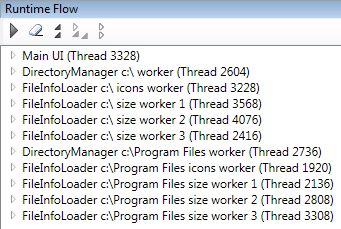
Thread names for SurF file manager
For easier debugging you can name you threads, for example using the System.Threading.Thread.CurrentThread.Name property. Runtime Flow now displays these names in the control flow tree:
Thread names for SurF file manager
I’ve added three new commands to expand the whole tree one level further, expand nodes for selected function further and collapse the whole tree one level up:
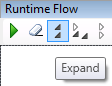
New expand and collapse commands
Please visit the Runtime Flow home page for the installer and the Quick Start guide.
I’ve successfully tried Runtime Flow on two more applications – Logic Circuit and Cropper:
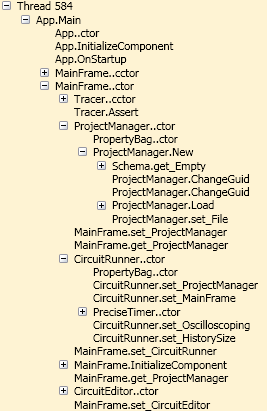
Logic Circuit startup
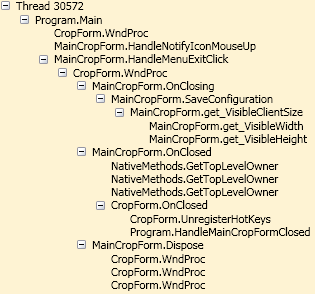
Cropper shudown
“We’ve inherited a very complex codebase and only 2 out of 6 members understand the flow in detail. How can we improve the groups knowledge, where do we start? We’re talking 10s of thousands of lines of code broken into 2 main projects. The code itself is difficult to understand, contains alot of Delegates which makes the Debugging a nightmare.” It is a very good example of the problem I want to solve (original message in Visual C# Forums). I was personally involved within a group inheriting 2 large projects in the last 2 years and I can attest that manually tracking control flow is very time consuming if sometimes possible at all.
Another example: “It became clear to us that there was a common pattern among all interviewees: The most painful and time consuming part of the development process wasn’t writing new code, but understanding existing one. In a large organization like Microsoft, source code moves across several developers, and sometimes they need to go back to what someone wrote few years ago to comprehend it and add a new feature. Without access to the person who originally wrote that code, it was a pain task.”
A solution that I’m working on is a real time function call monitoring. Like Process Monitor only for code and presenting the calls as a tree:
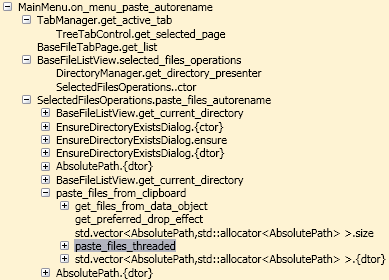
A call tree for Paste copy command in SurF
I have a (slowly) working standalone prototype for monitoring .NET 2.0-3.5 32-bit desktop applications. The above screenshot was made for SurF File Manager written in C++/CLR. I plan to present a downloadable alpha with Visual Studio integration in a month.

 Runtime Flow blog (Understanding a control flow in a running .NET application)