Runtime Flow blog (Understanding a control flow in a running .NET application)

July 6, 2010

Monitoring ASP.NET applications

Filed under: Uncategorized — Sergey Vlasov @ 7:35 am

To monitor an ASP.NET application you should start an ASP.NET development server under Runtime Flow monitoring and then just browse to the application in a web browser. Visual Studio 2010 example:
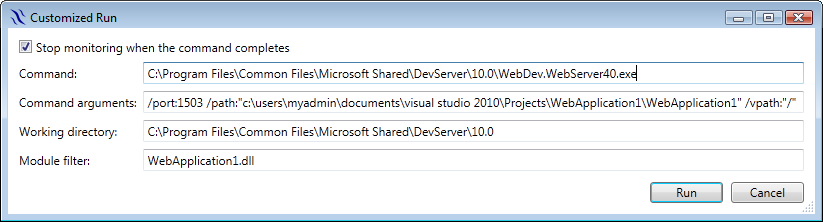
Customized Run settings to start ASP.NET monitoring in VS 2010
Customized Run settings to start ASP.NET monitoring in VS 2010


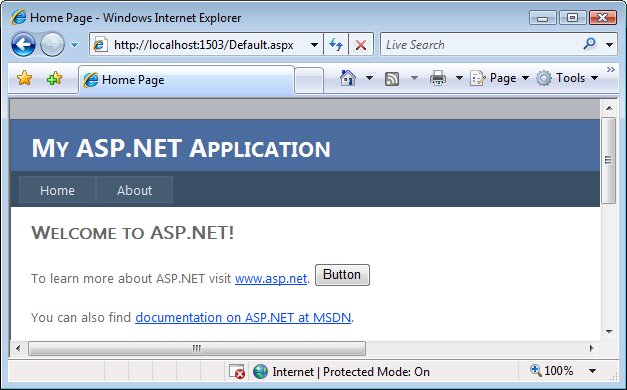
An ASP.NET web application created in VS 2010

An ASP.NET web application created in VS 2010


Runtime Flow of the ASP.NET web application in VS 2010

Runtime Flow of the ASP.NET web application in VS 2010

Visual Studio 2008 example:
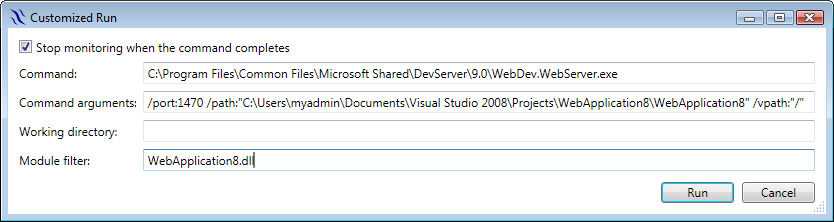
Customized Run settings to start ASP.NET monitoring in VS 2008

Customized Run settings to start ASP.NET monitoring in VS 2008


Runtime Flow of an ASP.NET web application in VS 2008

Runtime Flow of an ASP.NET web application in VS 2008

To go to the source when clicking on a function in a flow, currently you need to manually copy the corresponding pdb file to the temporary ASP.NET files folder:
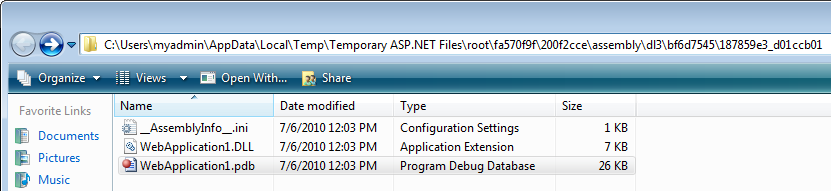
Temporary ASP.NET files folder
Temporary ASP.NET files folder

Runtime Flow v1.1.3 released

Filed under: Uncategorized — Sergey Vlasov @ 2:52 am

Runtime Flow v1.1.3 released – added ability to monitor Silverlight 4 applications, added ability to monitor processes running with the low integrity level, added the Stop monitoring when the command completes option, added the Stop monitoring command, added wait cursors during search, improved overall performance by using in memory storage.

July 5, 2010

Monitoring Silverlight 4 applications

Filed under: Uncategorized — Sergey Vlasov @ 5:52 pm

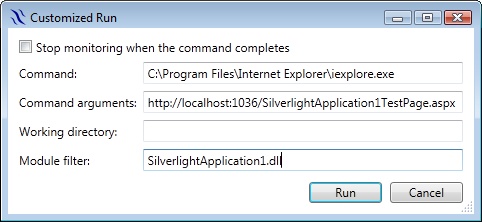
Runtime Flow v1.1.3 adds ability to monitor Silverlight 4 applications. A Silverlight 4 application runs in a browser and to start monitoring it you should specify your preferred browser and a startup page in the Customized Run dialog:

Internet Explorer Customized Run settings

Internet Explorer Customized Run settings


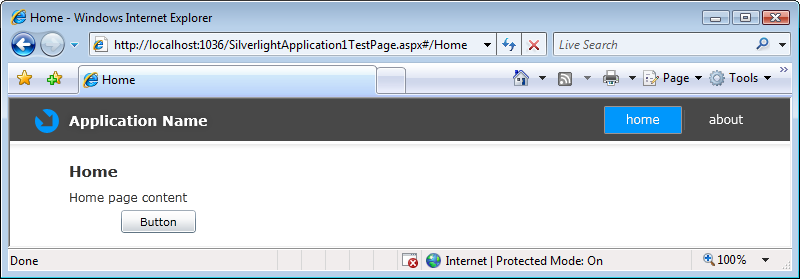
An Silverlight application in Internet Explorer

An Silverlight application in Internet Explorer


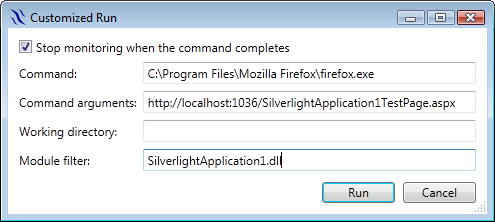
Firefox Customized Run settings

Firefox Customized Run settings


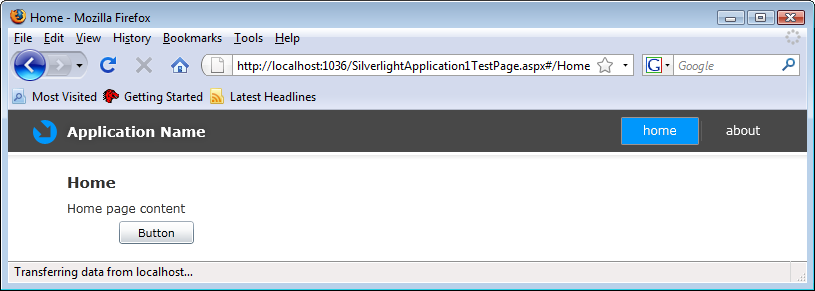
An Silverlight application in Firefox

An Silverlight application in Firefox


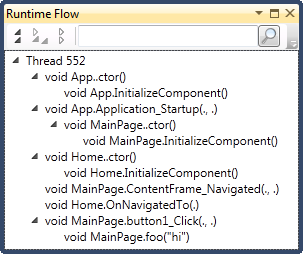
Runtime Flow of the Silverlight application

Runtime Flow of the Silverlight application

There is one complication when using Internet Explorer in Windows Vista. When started, Internet Explorer creates separate low integrity process to display contents and exits the original process, stopping Runtime Flow monitoring. In this case you should uncheck the Stop monitoring when the command completes option and use the Stop button on the Runtime Flow toolbar (it is not necessary in Windows 7):

The new Stop monitoring toolbar button

The new Stop monitoring toolbar button

Clicking on a function in Runtime Flow currently doesn’t go to the source for Silverlight projects as the Silverlight runtime provides slightly limited information.

July 1, 2010

Members initialization difference between C# and C++

Filed under: Uncategorized — Sergey Vlasov @ 5:36 pm

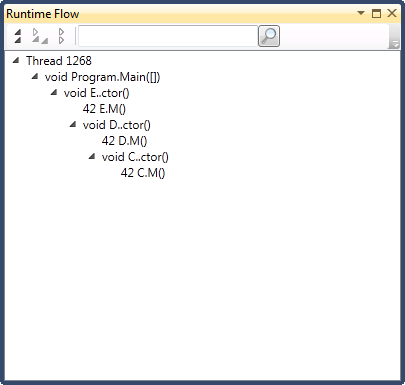
Joe Duffy presented an interesting example where order of members initialization is different between C# and C++ in his On partially-constructed objects blog post. “In C#, member initializers run from most derived first, to least derived. In C++, however, member initializers run alongside the ordinary construction process.” I’ve traced his examples in Runtime Flow:

C# initialization

C# initialization

C++ initialization

C++ initialization

You see how in C# E’s member is constructed even before the D object, while in C++ E’s member is constructed the last. It is interesting to note that while logically members are initialized before constructors, technically constructors start first and then immediately initialize members.

Runtime Flow v1.1.2 released

Filed under: Uncategorized — Sergey Vlasov @ 2:16 pm

Runtime Flow v1.1.2 released – fixed occasional loss of events on application shutdown introduced in v1.1.1.

June 30, 2010

Updated getting started screencast

Filed under: Uncategorized — Sergey Vlasov @ 6:13 am

The getting started screencast now demonstrates Runtime Flow v1.1.1 in Visual Studio 2010.

June 29, 2010

Runtime Flow v1.1.1 released

Filed under: Uncategorized — Sergey Vlasov @ 5:20 am

Runtime Flow v1.1.1 released – added Visual Studio 2010 support, added CLR v4 support, increased multiple duplication detection range from 20 to 120 functions, disabled the Run command when no solution is loaded.

Visual Studio 2010 and CLR v4 support

Filed under: Uncategorized — Sergey Vlasov @ 4:11 am

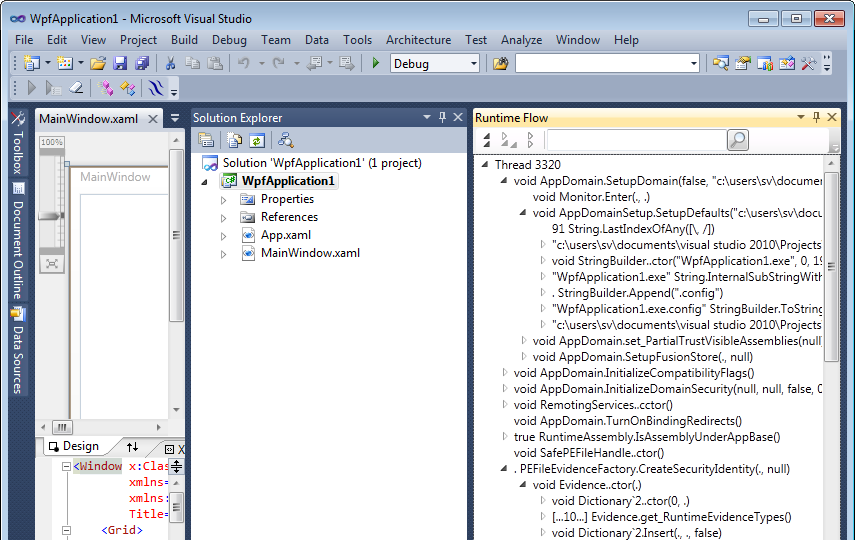
Runtime Flow v1.1.1 adds integration with Visual Studio 2010. Toolbar, Flow and Summary windows, go to source – everything works in VS 2010 IDE now:

Runtime Flow integrated with Visual Studio 2010

Runtime Flow integrated with Visual Studio 2010


Monitoring of .NET 4.0 applications is also now supported:
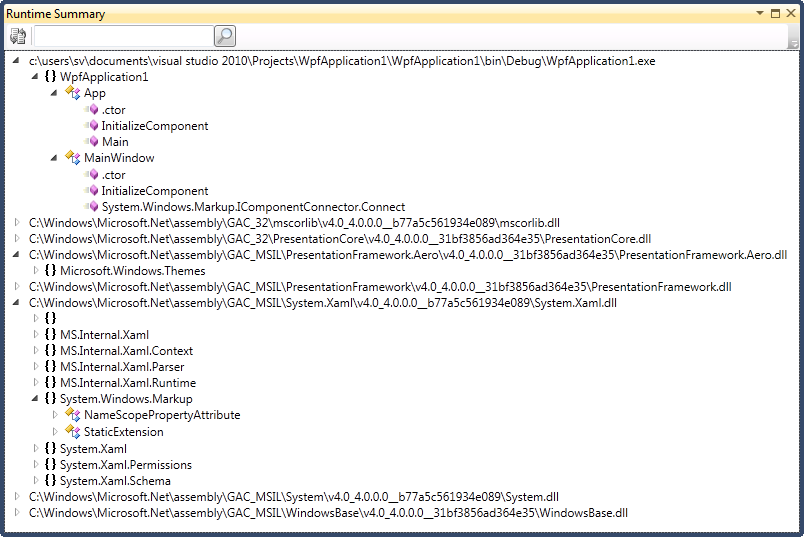
Monitoring summary of a .NET 4.0 WPF application

Monitoring summary of a .NET 4.0 WPF application


CLR v4 adds ability to run several CLR instances side by side in a single process. It rarely occurs in practice (see Common in-proc SxS scenarios) so currently Runtime Flow monitors only the first runtime loaded and ignores the rest.

June 25, 2010

Runtime Flow v1.1.0 released

Filed under: Uncategorized — Sergey Vlasov @ 2:08 pm

Runtime Flow v1.1.0 released – added the Runtime Summary window, added the common toolbar, added search to the Runtime Flow window, made selected items bold in the Runtime Flow window, moved the command to open the Runtime Flow window from the Other Windows menu to the new toolbar.

Runtime Flow toolbar

Filed under: Uncategorized — Sergey Vlasov @ 11:59 am

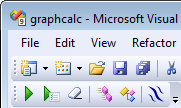
As there are two windows now (Flow and Summary), common commands such as Run, Customized run, Clear and About were moved to the new toolbar in Visual Studio:

Runtime Flow toolbar

Runtime Flow toolbar


The new toolbar also adds commands to open the Flow and Summary windows. The previous command to open the Runtime Flow window in the Other Windows menu is now removed. When monitoring is started with both windows closed, the Runtime Flow window is opened automatically.

« Newer PostsOlder Posts »

Blog at WordPress.com.